The Web Ahead #75
Andy Clarke:
It feels like at this point that we're just, probably temporarily, but we seem to be in this little era of, "Well, let's download Bootstrap, we know we're going to have a header graphic. We know we're going to have a horizontal list of links for our navigation. We're going to have three columns and we're going to have these boxes in these columns." It feels a bit like everybody just makes that assumption so quickly without even imagining anything else as a possibility.
On The Web Ahead, Jen Simmons recently talked to Andy Clarke about "Creative Direction". Or more about the current lack of it. I totally agree with Andy on this. It feels like too many projects start of with Bootstrap and all the design assumptions it caries. While it might serve the purpose of making a user-friendly website, it removes a lot of creativity that made the web so special (in a good and a bad way) in the beginning.
While all these UI patterns are well-tested and optimized, they make a lot of the web feeling the same. Recently I started to hold a little grudge against Bootstrap for that reason (and some other aspects but that's for a longer post). I will try to put some more effort into design problems before just throwing one of these default elments at it.
And if you don't listen to The Web Ahead yet, I suggest you give it a try. It's ony of my favorite webdesign podcasts.
dotfiles
I just had the pleasure of setting up a new Mac at work. Great so far. But whenever on a fresh system I recognize how much I tend to customize it. I found myself hitting shortcuts and trying to execute commands that weren't available. To get around this porblem faster the next time, I just created a repository for all my dotfiles. More to come.
Seams
If that’s the case, then it really doesn’t matter what we think about Chrome removing visible URLs. What appears to be a design decision about the user interface is in fact a manifestation of a much deeper vision. It’s a vision of a future where people can have everything their heart desires without having to expend needless thought. It’s a bright future filled with seamless experiences. Welcome aboard The Axiom.
I love this post. It's not only about why Google Chrome might have removed the URL from the browser UI but also more in general what it might mean if the "seamlessness" is overdone. Spoiler: You might have already seen it.
Octopress 3
For over a year this blog has been powered by Octopress 2. I learnt a lot about Jekyll and Octopress in the meanwhile and tweaked my system on various occasions. And I still love the system and the ideas behind it. So today I rebuilt my blog with Octopress 3.
It wasn't an upgrade in the common way. Octopress is no more a full-fledged wrapper around Jekyll but has been split into various components that can be hooked into a Jekyll installation. Have a look at their github profile: there now is octopress, ink, deploy, code-hightlighter and some more.
It is not yet officially released (as of now it's release candidate 8) – probably also because large parts of the documentation are still missing. So it took me quite some time to get it all up and running, and I've likely not yet discovered it's full potential. Once the documentation and some more explanations are public, I'm happy to write a more extended post on how to use it.
If you encounter any problems with this site be sure to let me know.
Small Screen Productivity
For the vast bulk of stuff that most people will want to do on a computer, though, most of the time you don’t need a desktop monster. I don’t think you even need a 15” screen, which is essentially a portable desktop. You just have to use a small screen productively. Matt Gemmel
Ever since I moved to Aarhus four months ago I have been limited to the 13 inch display of my (non-retina) MacBook Pro. Beforehand I thought it would be quite annoying to be limited to this small screen (I have an external 27 inch monitor at home in Munich).
But as Matt writes, it's mostly a question of what you make of it, and I didn't miss a bigger display as much as I anticipated. But my workflows changed quite a bit: I run a lot more applications in Fullscreen mode and use on quite a few helper tools to coordinate stuff and switch between programms. Here a short list:
- First off: Alfred for launching apps and invoking various workflows.
- Better Touch Tool enables the Windows-7-style window snapping on my Mac.
- A combination of KeyRemap4MacBook and NoEjectDelay enabled the use of the eject-key (I replaced the optical drive w/ a second HDD some time ago) as an hotkey for iTerm2[1].
- Furthermore I use HyperSwitch as a finer enhancement for the system application switcher.
Still higher resolutions are always tempting. Especially when dealing with visual stuff, no matter if Lightroom, Pixelmator or just the iOS Simulator, more screen estate equals more productivity in my opinion. For that reason I keep checking out the 13 inch Retina MacBook Pros and I also have high hopes for the rumored 12'' Retina Air.
Make sure to hide the iTerm icon from the dock. ↩︎
Hej Århus!
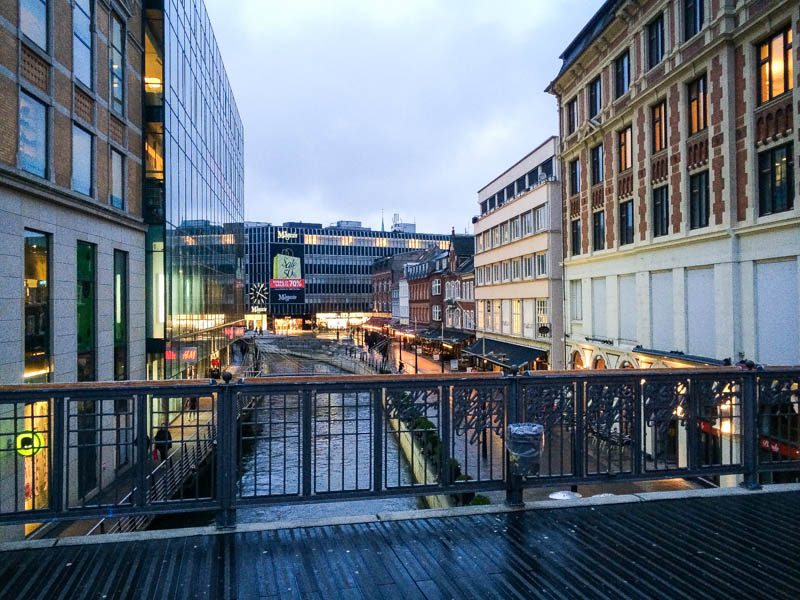
Almost two weeks ago I moved from Munich to Århus, Denmark, in order to spend an Erasmus semester here. It's going to be my last semester as a media informatics student so I want to get as much out of it as possible. These are my first impressions after two weeks in Denmark.
Arriving in Århus
The cheapest way and the one where I was able to carry the most stuff with me, was to travel by train. After a eight hour ride with the night train to Hamburg and another four hours on a regional train, I made it to Århus a bit exhausted. But arriving during daytime had the big advantage of being able to complete most of the organizational directly. Guided by a mentor, we first went to the university in order to register and especially to get the keys for my room.
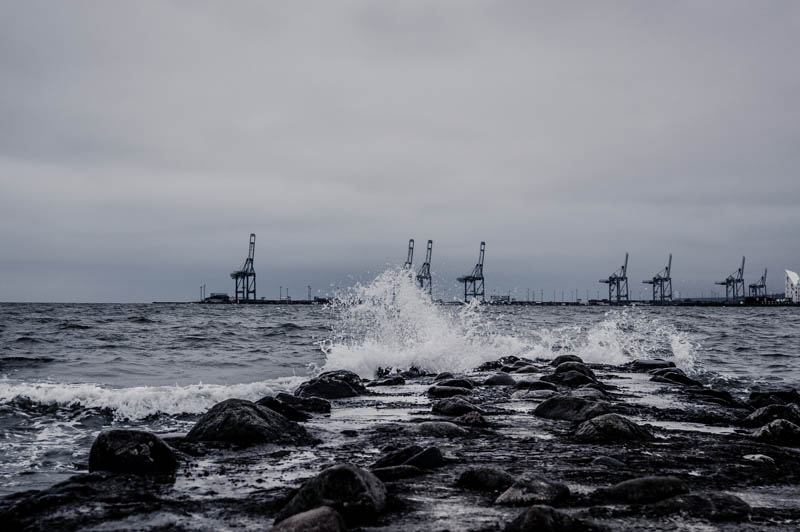
After a little tour across campus I got to see my place and meet my housemates. So I will spend the next six months with eight other students from all over the world in a house located just outside the city. It's a fine place close to the sea and a forest which might be a bit more enjoyable once the weather improves. The people are great and I'm sure I will enjoy the time here.
First Impressions
I'm quite settled by now and the everyday life is about to start as I had the first lecture today. What I can tell so far is that the Danish people are extremely nice and speak prefect English. I don't speak any Danish so far but I never found myself in a situation where it would have been necessary. No matter if you talk to any student or the elderly lady at the bus stop, apparently everybody speaks English quite fluently.
Something I do like as well is the informality which Danish people use in their communication. You're supposed to address everybody with a simple you and call them by their firstname. This is true for all the professors at university as well. But it still feels a bit awkward for me.
University Intro Week
The university takes a lot of care for incoming students and the computer science faculty is so modern and well equipped that a comparison to Munich feels a bit saddening. So there were three full days of program to show all us international students around the campus, introduce us a bit to Danish culture and to provide a lot of opportunities to socialize among all faculties. It ended with a day that was focused on the particular faculty during which I finally met some more computer science students. The mentors did a really good job here.
Money, Food and Drinks
But Denmark is rather expensive: Food and drinks in the supermarket are a bit more expensive than in Germany but in restaurants and bars it might quickly get expensive. Yet I have been shown some cool bars with specials and happy hours, so I should be able to navigate my evenings trough downtown soon. The best occasion to meet other students and enjoy a cheap beer are the Friday Bars. In almost every faculty they start to build a bar on Friday afternoons where students and staff meet and can talk over a freshly tapped beer. Foodwise I might have to start cooking more.
The University
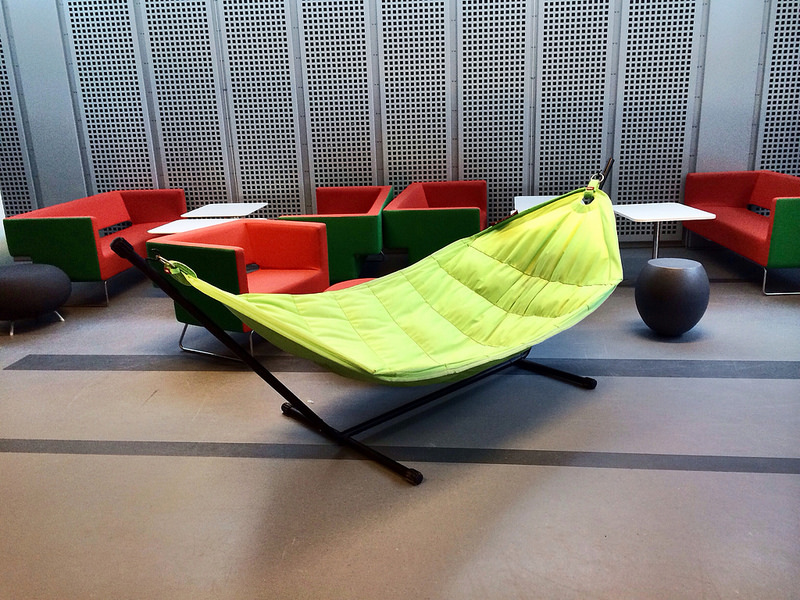
So much space! Coming from the LMU Munich where rooms are scarce it feels a bit like in a different world. They have huge areas equipped with desks and couches that are meant to be used by students either to hangout or to work. Table soccer, billiard and table tennis – everything is there. To be fair the buildings are only a few years old.
Organizational there is a similar mess of different accounts and logins one has to use in order to get to study materials and to signup for courses. I suspect some sort of conspiracy. How can it be that the software that runs especially the computer science department is fragmented so heavily and is so user unfriendly?
In difference to the German semesters, Denmark uses quarters. This implies that courses are much shorter but require more work within this short timeframe. For computer science this mostly means to do assignments (often programming) which is also part of the final grade. But that's stuff I will figure out more exactly in the upcoming weeks.
border:none 2013
Yesterday I attended the first ever border:none conference in Nuremberg, a conference focused on the mobile we. I really enjoyed the day there and am still have to wrap my head around all the things I learned there. The talks spread over technical and conceptual topics around the web (not only the "mobile" one) and I came home with a long list of things to think about and to try out. Let me try to summarize the talks a bit.
The Talks
As already mentioned the talks spread across a diverse set of topics. It started with Jay talking about some great new layout features that are coming to CSS and how they allow new ways of presenting your content.
Where as Tobias talked on something completely different topic: How to actually test the performance of your websites under real-life conditions and how to automate this process for desktop and mobile browsers. I think that performance measurement is generally a topic that will get more and more into focus, as the responsive hype becomes a standard.
Keeping the testing topic Rodney got into "test the web forward" – writing test for browser to ensure they comply with the actual specifications. So instead of just working around a bug in your current project, write a test for all and make the web a little less broken.
After lunch Vasilis got back towards a more design-y direction. Using the idea that on the web there is no fixed canvas. Still there are a lot of aspects that can define a good design which should all focus around the actual content.
Vitaly afterwards did a wrap-up of the various tools and techniques that are out there for responsive webdesign. He managed to bring up the pieces that you might have heard of at some point but which aren't widely used (yet).
Having read Bastian's Let's build a better web a couple of weeks ago, I was quite excited about his talk. I like such talks that go beyond the scope of the every day work and get to the bigger picture about how the web works and where we can bring it.
One of the best speakers I've seen is Jeremy. To close this awesome conference day he got back to very basic ideas that are already built into HTML, CSS and JavaScript. That our goal shouldn't be to make the web accessible and responsive, because the web already is this way. Instead we should try to not screw it up.
This list is surely not complete and only reflects a few bits of what I took from this conference. If you weren't able to attend the conference, make sure you watch the videos once they are up, I highly recommend them.
The Conference
At the unbeatable price of only 30€ it was a no-brainer for Jojo, Fabian, Sonja and me to go there. Despite a large traffic jam on the autobahn we arrived at the venue just in time for the first talk.
The venue was an amazing old movie theater, the Orpheum, where the team behind border:none – especially Marc and Joschi – had to bring and install everything themselves. A huge thanks to all the people who made this conference possible and ensured the nice atmosphere.
The only particular wish I have for the next border:none: Chairs which are a bit more comfortable.
100 Tage Heimat
Ich lese momentan das herrliche Buch »100 Tage Heimat« von Jens Franke. Er hat sich vor zwei Jahren 100 Tage Zeit genommen, um durch Deutschland zu laufen [1] und das jetzt nochmal festgehalten.
Das Buch ist voll mit interessanten Eindrücken davon, wie Deutschland abseits von Großstädten und Alltag auch sein kann. Wunderbar zu lesen.
Disclaimer: Ich habe an der technischen Umsetzung der Webseite mitgearbeitet. ↩︎
Easier vHost setup
Starting development on a new web project is a pretty mundane task: Probably cloning some existent repository or creating the initial folder structure and then setting up a local virtual host, so each project got it's own development domain, like fancyproject.dev.
Especially the last part is quite annoying: Manually editing the hosts-file and adding a new vHost in the Apache config files.
After years of just going with this workflow, I found a way to cut this whole process. Using dnsmasq and wildcards in the Apache config do the same thing without having to change a single line of config files.
dnsmasq
dnsmasq is a little DNS server and I only use it to route all request targeted at *.dev to the local machine and thereby make editing the /etc/hosts file redundant.
For installing it on a Mac I suggest using Homebrew, following these steps (mostly in the terminal of your choice):
$ brew install dnsmasq
$ cp /usr/local/opt/dnsmasq/dnsmasq.conf.example /usr/local/etc/dnsmasq.conf
Editing /usr/local/etc/dnsmasq.conf and adding at the end:
# dnsmasq.conf
# ...
address=/dev/127.0.0.1
listen-address=127.0.0.1
Then adding dnsmasq to the startup elements by executing $ sudo cp -fv /usr/local/opt/dnsmasq/*.plist /Library/LaunchDaemons
To start it this time, execute $ sudo launchctl start homebrew.mxcl.dnsmasq
It might be necessary to add 127.0.0.1 as the first DNS-Server in your Network Settings.
Apache Config
As it turns out you can use wildcards in the Apache config to automatically map all <project-name>.dev to .../projects/<project-name>/. Far better than editing the httpd-vhosts.conf all the time.
The single VirtualHost entry necessary is this one (Keep in mind to change the paths):
NameVirtualHost *:80

<VirtualHost *:80>
    <Directory /<path-to-your-projects-root>/>
        Options Indexes MultiViews FollowSymLinks Includes
        AllowOverride All
        Order allow,deny
        Allow from all
    </Directory>
    UseCanonicalName off
    ServerName localhost
    ServerAlias *.dev
    VirtualDocumentRoot /<path-to-your-projects-root>/%1/
</VirtualHost>
Voilá! Now all I need to do is create a new directory and drop the files in. The vHost comes automatically.
Raspberry Pi: Dynamically mounting an external drive
A couple of weeks ago I wrote about how I use my rpi as a TimeMachine. It quickly turned out that things weren't as nice and easy as I imagined. The hassle of dealing with corrupted HFS+ file systems was a real annoyance. But it was the silent buzzing of the external HDD made that annoyed me enough to do something about it.
Fighting the buzzing
I own a mildly aged WesternDigital MyBook Essential and even while unmounted I can hear a constant buzzing. Throughout the day it's not a real problem but at night quite annoying. So I tried to find the cause.
Turns out there are the internet knows about a few issues with the internal system of the drive (which has its own power supply) that might keep the drive from completely shutting down. The first suggested solutions were all about compiling a custom kernel. That seemed a bit over the top and frankly, I am not that familiar with these things yet.
Unmounting, Detaching and how to get it back
udisks --detach finally led to success: The drive would now spin down completely and stay totally silent. But the system won't recognize a detached device anymore, so no easy mounting.
It took a few attempts to get the Raspberry Pi to recognize a detached device again without physically plugging cables. The solution is to temporarily deauthorize the USB device. Once it is authorized again, the system recognizes it as a new device and allows to mount it again.
Cleaning up
From the beginning I had the plan to automatically mount and unmount the external drive based on whether it's needed. It's sole purpose is to be used as backup storage, so it only needs to be available while my computer is on and likely to run a backup.
The best indicator is whether my notebook is currently in the network or not. Therefore I wrote a little bash script (Gist)[1] to check the presence of my computer in the network and then mount or unmount the drive as needed. A cronjob runs this script every ten minutes.
While I'm on it... Fixing the filesystem issue
And coming back one last time to the file system thing: I decided to reformat the drive as FAT32 and use it as regular network share. Luckily TimeMachine can be tricked into accepting regular network shares. It works without problems so far. Especially without corrupted filesystems.
As I am still new to these scripts, don't hesitate to share some feedback on this. ↩︎